
WhatsApp bulk messaging tools should be compared on more than how quickly they import a file and start sending. A business needs permission-aware audience selection, correct templates, reliable suppression, useful failure records and a team ready for replies. Message volume alone is a weak buying criterion.
This guide compares operating approaches and proposes acceptance tests. It is not a vendor ranking or a claim that a particular product has passed every test. No tool can guarantee that a number will never face restrictions or that every message will be delivered.
Understand what the tool is connecting to
| Approach | What to establish | Main operating question |
|---|---|---|
| Business App and linked devices | The actual app and subscription features available | Can the team handle the required audience and replies with its current controls? |
| Software built on the official Business Platform | Meta onboarding, asset ownership and the provider's implementation | Does it support the required templates, events, suppression and reporting? |
| Browser add-on controlling WhatsApp Web | The mechanism and permissions it uses | Does its operation match platform rules and the business's data requirements? |
| Direct API application | Who builds and operates the messaging system | Can the team maintain authentication, events, storage, queues and recovery? |
A browser extension is not Cloud API simply because it advertises automation. Conversely, an official API connection does not prove that every operational control is correctly implemented. Inspect the actual workflow.
Define one campaign before requesting a demo
Write down the audience, permission source, purpose, language, expected replies, owner and success measure. Specify the number of business numbers and teammates, required store or CRM events, and what must stop a send.
For example, a retailer might need a product-update campaign for customers who requested those updates. It needs reliable exclusion of opt-outs and purchased customers where the offer is no longer relevant, a current template, and a queue that receives product questions. The actual requirement is a lifecycle, not a send button.
Test the import without exposing customer data
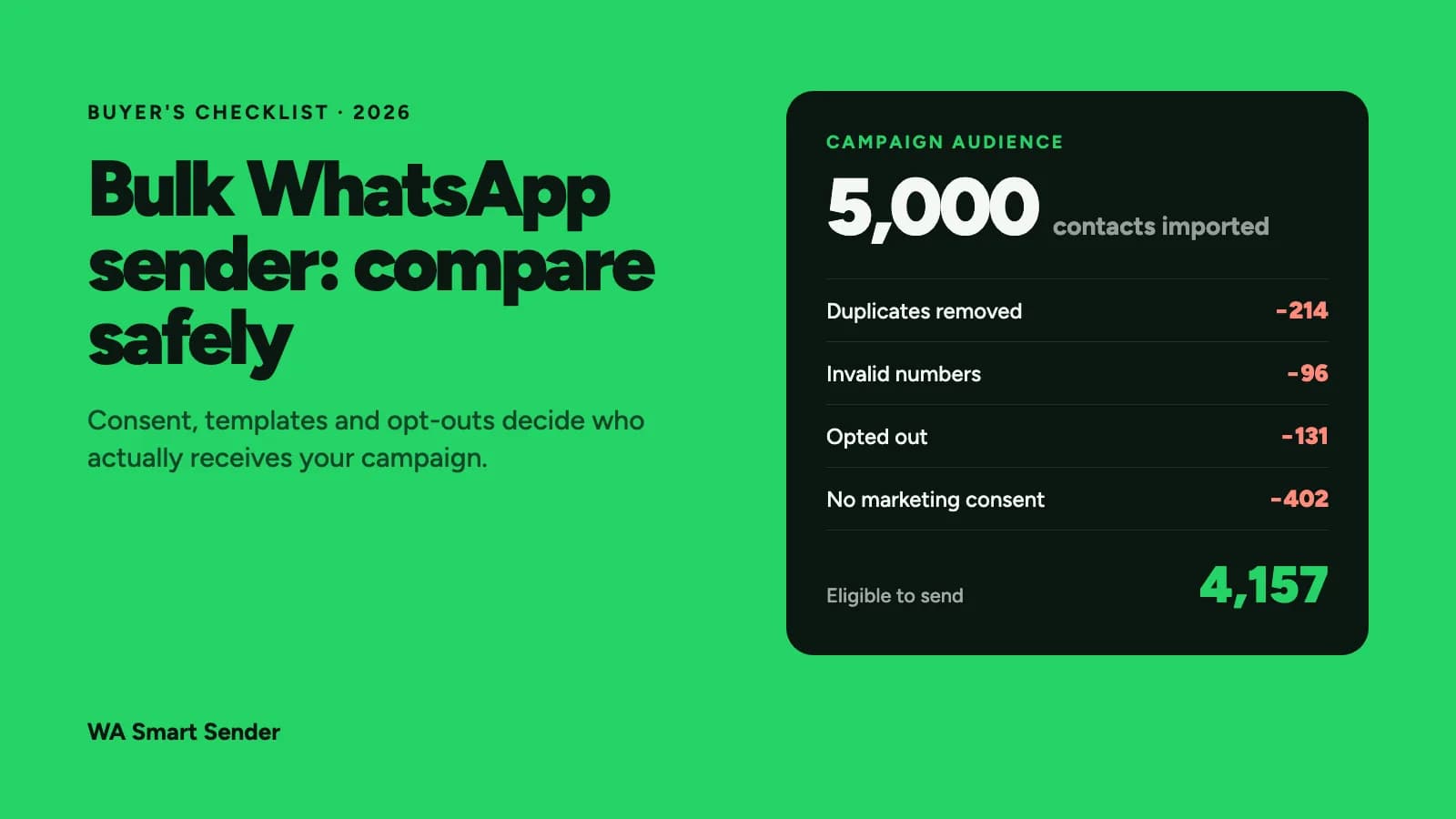
Use synthetic records or authorized team test contacts. Include a long name, missing name, duplicate customer, malformed number, wrong language and a record that has opted out. Keep phone numbers as text in spreadsheets so formatting does not remove meaningful digits.
Check field mapping and the fully populated preview. A tool should not guess the country code from an ambiguous number or silently replace missing values with misleading text. Preserve the reason a record was excluded so the operator can explain the final audience count.
Ask how a later import interacts with suppression. Re-uploading an old spreadsheet must not silently restore a person who opted out after the original export.
Check templates and permission separately
The WhatsApp Business Messaging Policy governs appropriate permission, opt-outs and approved-template use outside the customer service window. Template approval does not establish every recipient's eligibility, and a prior purchase does not authorize unrelated marketing indefinitely.
Check the correct account, language, category and current template status. A transaction reference does not turn a promotional message into an operational update. Use the 35 message examples and approval checklist for writing drafts and setup checks, rather than assuming copied wording is already approved.
Inspect scheduling, limits and restart behavior
Ask which account and provider limits govern sending, how failures are surfaced, and how the operator pauses a campaign. There is no universal daily “warm-up” schedule that guarantees protection. Spacing messages or varying text does not make an ineligible audience appropriate to contact.
Scheduling should include a last-moment eligibility check. A customer can opt out, purchase or enter a human conversation after the audience snapshot was created. The tool needs clear rules for what changes suppress or pause the pending message.
If processing stops halfway through, inspect which records were actually sent before restarting. A retry needs a stable campaign-recipient identity or equivalent control so the same audience does not receive a second copy accidentally.
Make incoming replies part of the evaluation
A campaign creates support and sales work. Test an interested reply, a complaint, an unrelated support request, an opt-out and a request for a person. Preserve the campaign source and message context when assigning the conversation.
Test outside staffed hours and when the assigned employee is absent. An immediate automated acknowledgement is not a human response. The shared-inbox guide explains ownership and fallback patterns to evaluate.
Compare the full monthly cost
Use the same scenario for each proposed solution: numbers, seats, delivered messages by category and recipient market, AI usage, integrations, onboarding and support. Keep platform subscription and Meta messaging charges separate. A product's message allowance is not automatically a Meta fee allowance.
Compare the same billing cadence and commitment. Record rate-card dates and what happens at an overage. Use the full-cost comparison guide and API pricing explanation to build an estimate you can reconcile.
Run eight acceptance cases before choosing
- Import duplicate and invalid records and reconcile the final eligible audience.
- Populate every template variable, including missing and long values.
- Opt out after scheduling but before execution and confirm suppression.
- Pause midway and restart without duplicate messages.
- Make the template unavailable and inspect the operator's recovery path.
- Reply with a product question and verify an accountable owner receives context.
- Remove a teammate's access and confirm the person's account cannot continue operating the campaign.
- Export sent, failed, excluded and outcome records using explicit reporting dates.
These are proposed tests, not results already achieved by WA Smart Sender or another product. Save expected and observed outcomes, including any setup effort required to make the test pass.
Choose on useful outcomes
Review delivered recipients, meaningful replies, qualified leads, verified sales and opt-outs with clear denominators. A campaign that reaches more people but creates unresolved complaints is not automatically better. Use consistent reporting periods and avoid assigning every later purchase to the last message.
Choose the approach that meets the required workflow with acceptable operating effort and cost. Start with an eligible, limited launch and a clear pause path, then expand only after the evidence supports it.
Evaluate a live campaign and inbox workflow
For a concrete product example, review WA Smart Sender's campaign workflow and shared inbox. The public product pages describe consent-led audience selection, approved templates, campaign scheduling, reply and opt-out handling, individual team ownership and reporting. Treat these as vendor-published product descriptions to verify in a workspace, not independent proof that a vendor has passed the eight tests above.
Check the current plans and pricing against your own seat count, message volume and recipient markets. The platform subscription and Meta message-delivery charges are separate. Start with a small, permissioned audience and record delivered, failed, excluded and opt-out counts before expanding.